Formiko
A reStructuredText & Markdown editor with live preview — for writers, developers and documentation authors.
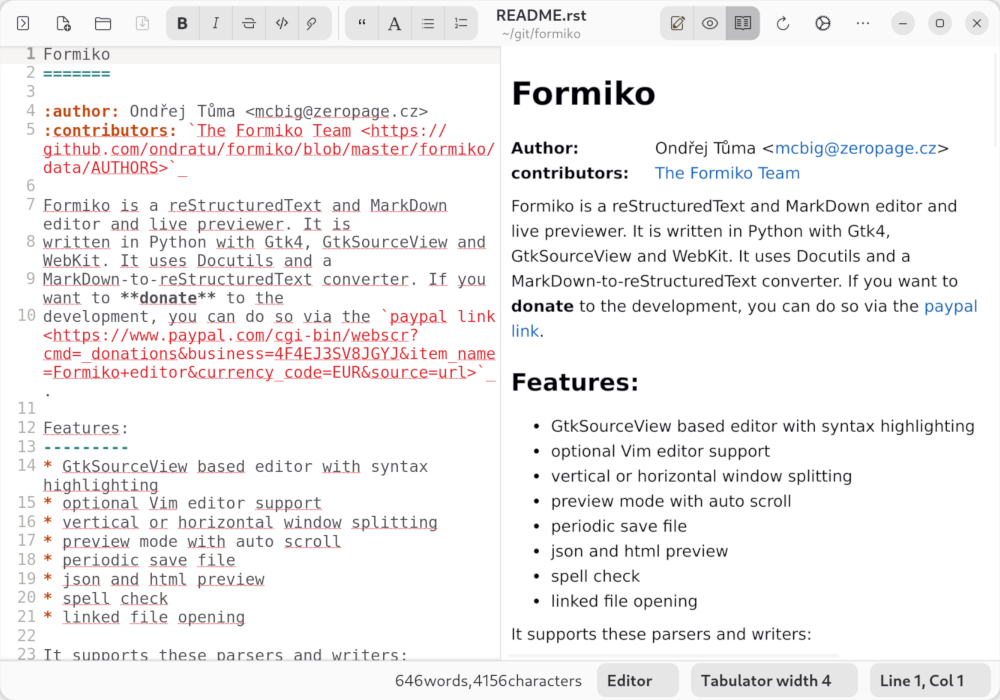
Formiko — editor and live HTML preview, side by side.
Features
Everything you need to write great documentation.
Syntax Highlighting 🎨
GtkSourceView-powered editor with full RST and Markdown syntax highlighting and theme support.
Live Preview ⚡
See your rendered HTML output instantly as you type — no manual refresh needed.
Flexible Split View ⬛⬜
Arrange editor and preview side by side — horizontally or vertically — to match your workflow.
RST & Markdown 📝
First-class support for reStructuredText (Docutils) and Markdown via the M2R2 converter.
JSON & HTML Preview 🔍
Browse and search JSON files with JSONPath queries, or preview generated HTML directly in the preview pane.
Spell Check ✅
Integrated spell checking powered by libspelling — supports multiple languages via Hunspell.
Vim / Neovim Support ⌨️
Run Formiko as formiko-vim to edit with a full embedded Neovim instance.
Auto-save 💾
Periodic background saves protect your work — even when you forget to hit Ctrl+S.
JSON Preview
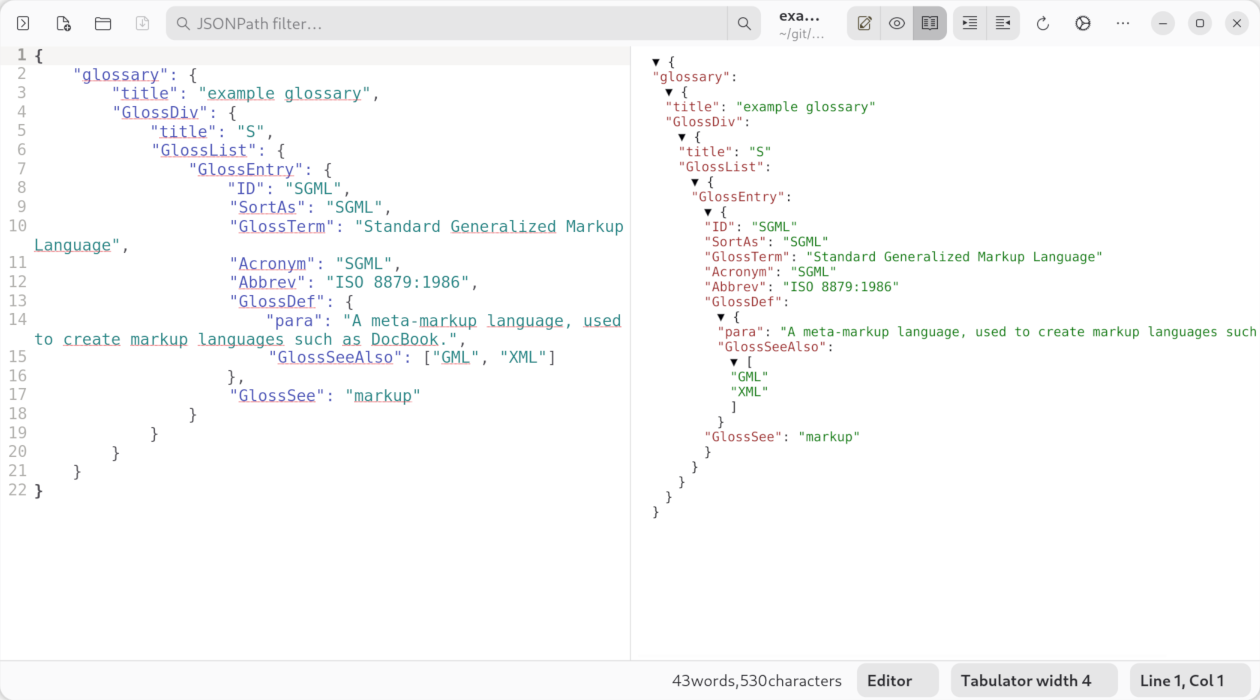
Browse complex JSON structures and query them with JSONPath expressions in real time.
Parsers & Writers
Formiko is built on the Docutils ecosystem. Choose the output format that fits your project.
RST Parser
Full Docutils reStructuredText parser — the gold standard for Python documentation.
Markdown via M2R2
Convert CommonMark Markdown to RST on the fly before rendering.
HTML 5 Writer
Clean, standards-compliant HTML5 output via the Docutils html5_polyglot writer.
HTML 4 Writer
Legacy HTML4/CSS1 output for maximum compatibility.
PEP HTML Writer
Python Enhancement Proposal styled output, faithful to python.org formatting.
S5 Slide Show
Generate browser-based S5 slide presentations directly from RST.
Tiny HTML Writer
Minimal single-file HTML output with optional docutils-tinyhtmlwriter.
JSON Viewer
Native JSON browsing with JSONPath-ng search — no writer needed.
Installation

The easiest way to install Formiko is via Flatpak from Flathub — available for any Linux distribution that supports Flatpak.
flatpak install flathub cz.zeropage.Formiko
flatpak run cz.zeropage.Formiko
Debian / Ubuntu
apt install python3-pip python3-gi python3-docutils \
            python3-jsonpath-ng python3-pygments \
            gir1.2-gtksource-5 gir1.2-webkit-6.0 \
            gir1.2-spelling-1 gir1.2-adw-1

pip3 install formiko --break-system-packages
FreeBSD
pkg install py311-pygobject py311-docutils py311-pygments \
    py311-pip gtksourceview5 webkit2-gtk_60 \
    libspelling py311-jsonpath-ng libadwaita

pip-3.11 install formiko